Examples
Leaderboards
The Web Leaderboards subsystem wraps Valve's ISteamLeaderboards interface. All functions need your publisher key.
Read the entries of a leaderboard
- Call Find Or Create Leaderboard with the leaderboard's Name. Turn on Create If Not Found to create it if it doesn't exist.
- Read the leaderboard ID from the response with Find Json Number and the key
leaderboardID. - Call Get Leaderboard Entries with the ID, and a range with Range Start and Range End.
- Read the entries with Find Json Numbers for
rankandscore, and Find Json Strings forsteamid. The arrays are in the same order, so index0in each array belongs to the same entry.
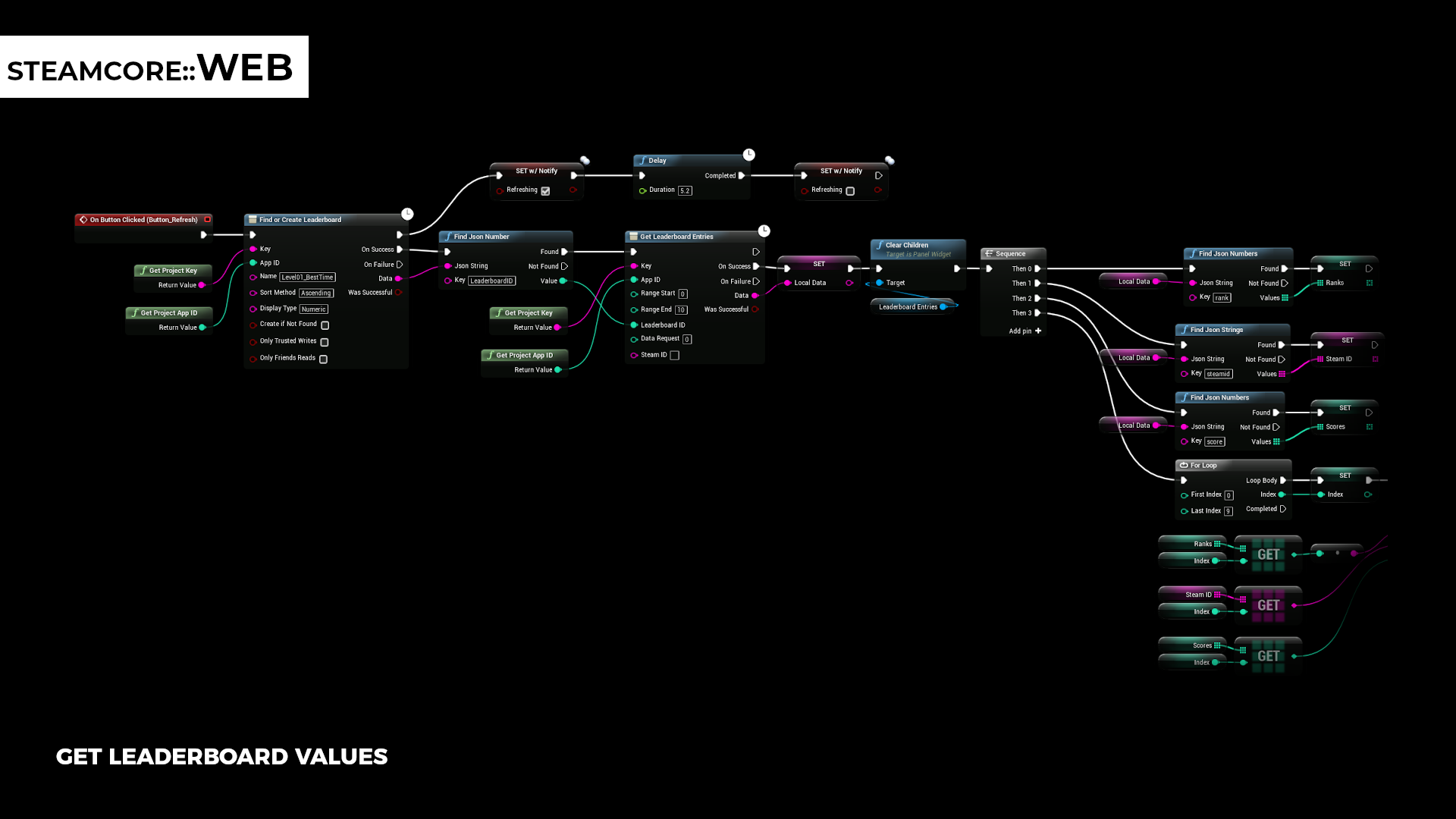
Data Request selects which entries are returned:
| Value | Entries |
|---|---|
0 | Global, by rank between Range Start and Range End |
1 | Around the player in Steam ID. The range is relative to the player, for example -5 to 5. |
2 | The friends of the player in Steam ID |
You can then show the entries in a widget:
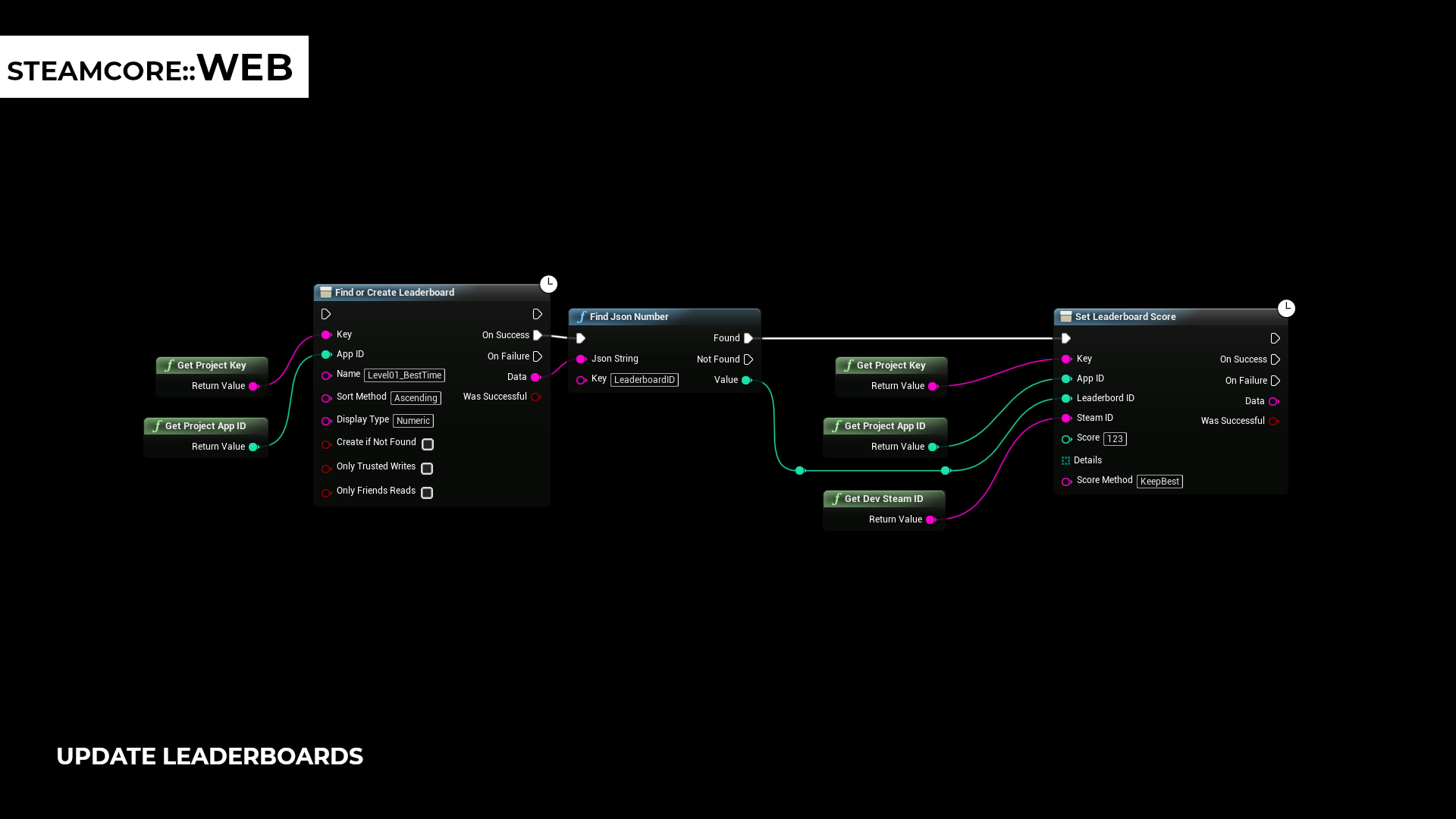
Set a score
Call Set Leaderboard Score with the leaderboard ID, the player's Steam ID and the score. Score Method is KeepBest to keep the player's best score, or ForceUpdate to always replace it.
warning
Only set scores from your server. A client that can call Set Leaderboard Score can post any score. See Publisher Key Security.
Other functions
| Function | Description |
|---|---|
| Get Leaderboards For Game | Lists all leaderboards of the app. |
| Reset Leaderboard | Removes all entries from a leaderboard. |
| Delete Leaderboard | Deletes a leaderboard. |