Microtransactions
The Web Micro Txn subsystem wraps Valve's ISteamMicroTxn interface. A purchase has three steps:
- Init Txn starts the transaction. Steam shows the purchase dialog in the player's Steam overlay.
- The player authorizes or cancels the purchase in the dialog.
- Finalize Txn completes the purchase after the player has authorized it. When it succeeds, you can grant the items.
These calls need your publisher key and must run on a server you control. See Publisher Key Security.
Test with Sandbox Mode
Turn on Sandbox Mode in Project Settings → Game → SteamCoreWeb Plugin while you develop. The plugin then calls ISteamMicroTxnSandbox, where the whole flow works but no money is charged. Turn it off before you release.
Start the transaction
Call Init Txn with:
| Input | Value |
|---|---|
| Key | Get Project Key |
| Order ID | A unique 64-bit ID for the order. Make Transaction ID creates one. |
| Steam ID | The buyer's Steam ID |
| App ID | Get Project App ID |
| Language / Currency | For example en and USD. Get User Info returns the player's currency. |
| User Session | Leave it empty for the purchase dialog to show in the game. Set it to web for a purchase in a web browser. |
| Item ID, Quantity, Amount, Description | One entry per item in the cart. Amount is in cents, so 150 is 1.50. |
The other inputs are optional, and are used for bundles and recurring billing.
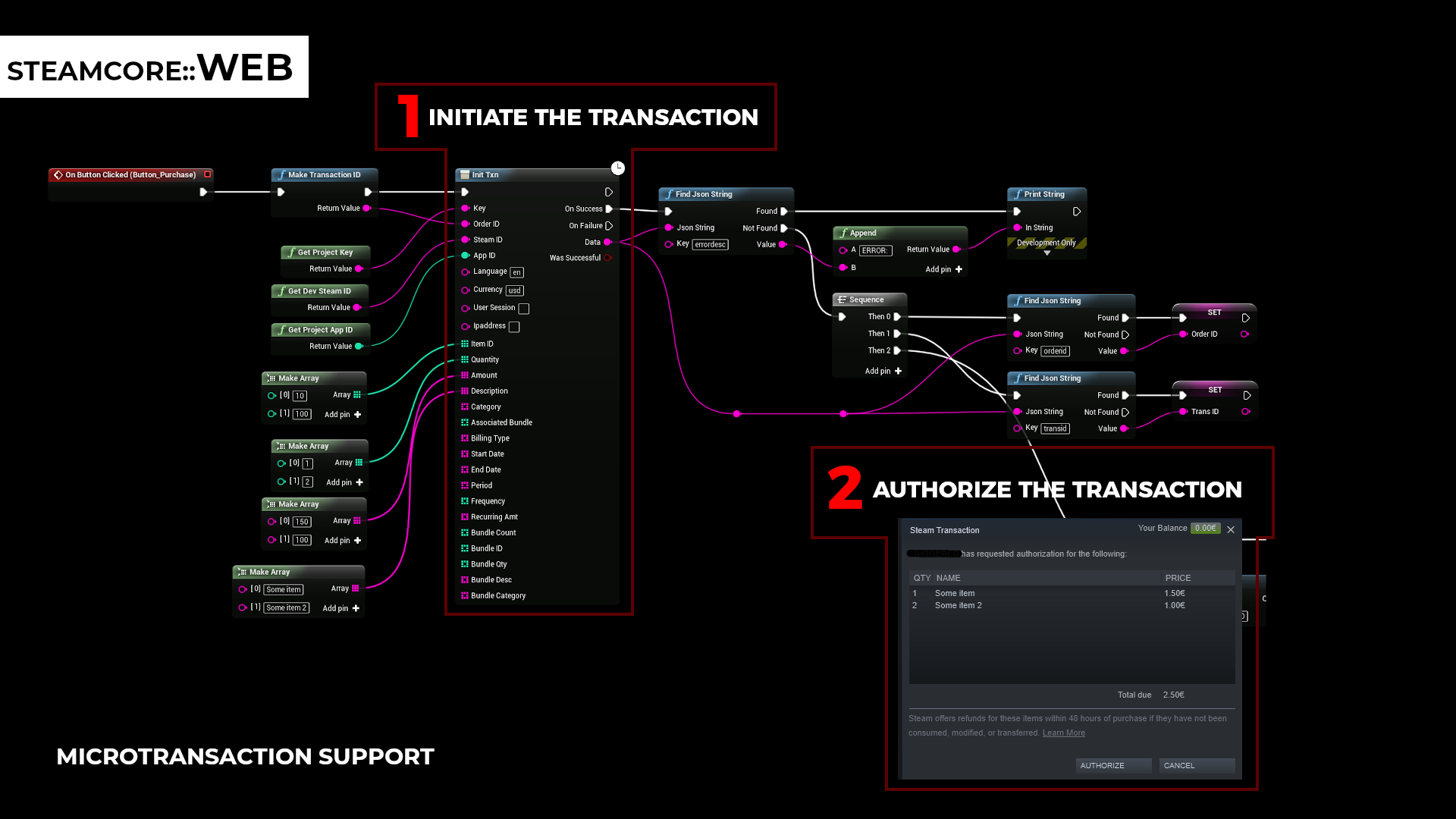
Read orderid and transid from the response with Find Json String. If the call failed, the response has an errordesc value that describes why.
Complete the transaction
The game is told when the player has answered the dialog. In C++ this is the MicroTxnAuthorizationResponse_t callback in the Steamworks SDK. If the player authorized the purchase, call Finalize Txn with the same Order ID.
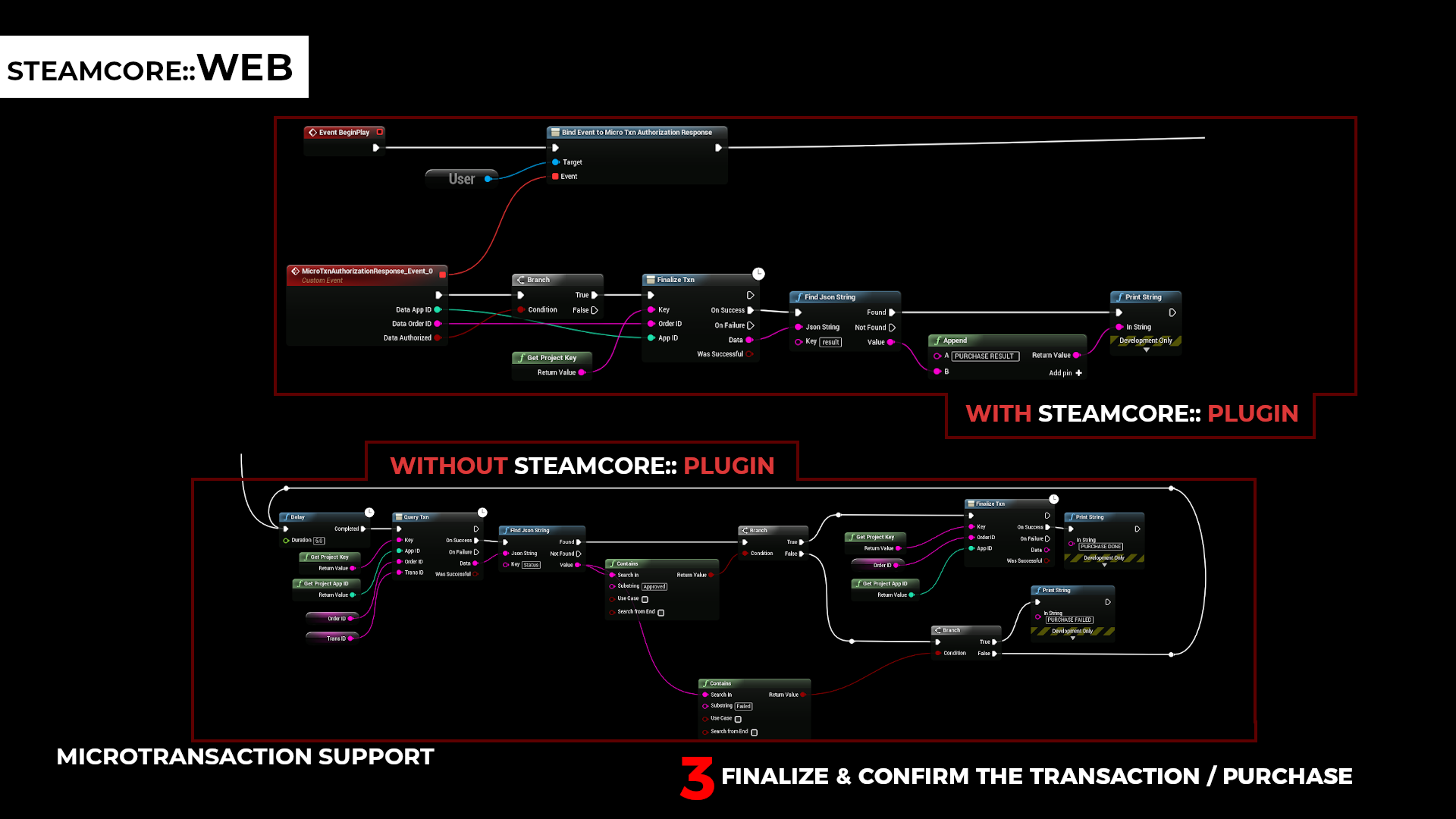
When Finalize Txn succeeds, the payment is complete and you can grant the items.
If the request times out or fails, call Query Txn with the Order ID to get the status of the transaction before you try again.
Other functions
| Function | Description |
|---|---|
| Query Txn | Gets the status of a transaction. |
| Refund Txn | Refunds a transaction. |
| Get Report | Gets the transactions within a time span, for reconciliation. |
| Get User Info | Gets the player's country, currency and status, so you can show prices before the purchase. |
| Get User Agreement Info, Process Agreement, Adjust Agreement, Cancel Agreement | Manage recurring billing agreements. |